

Build an engineering team that leads in AI
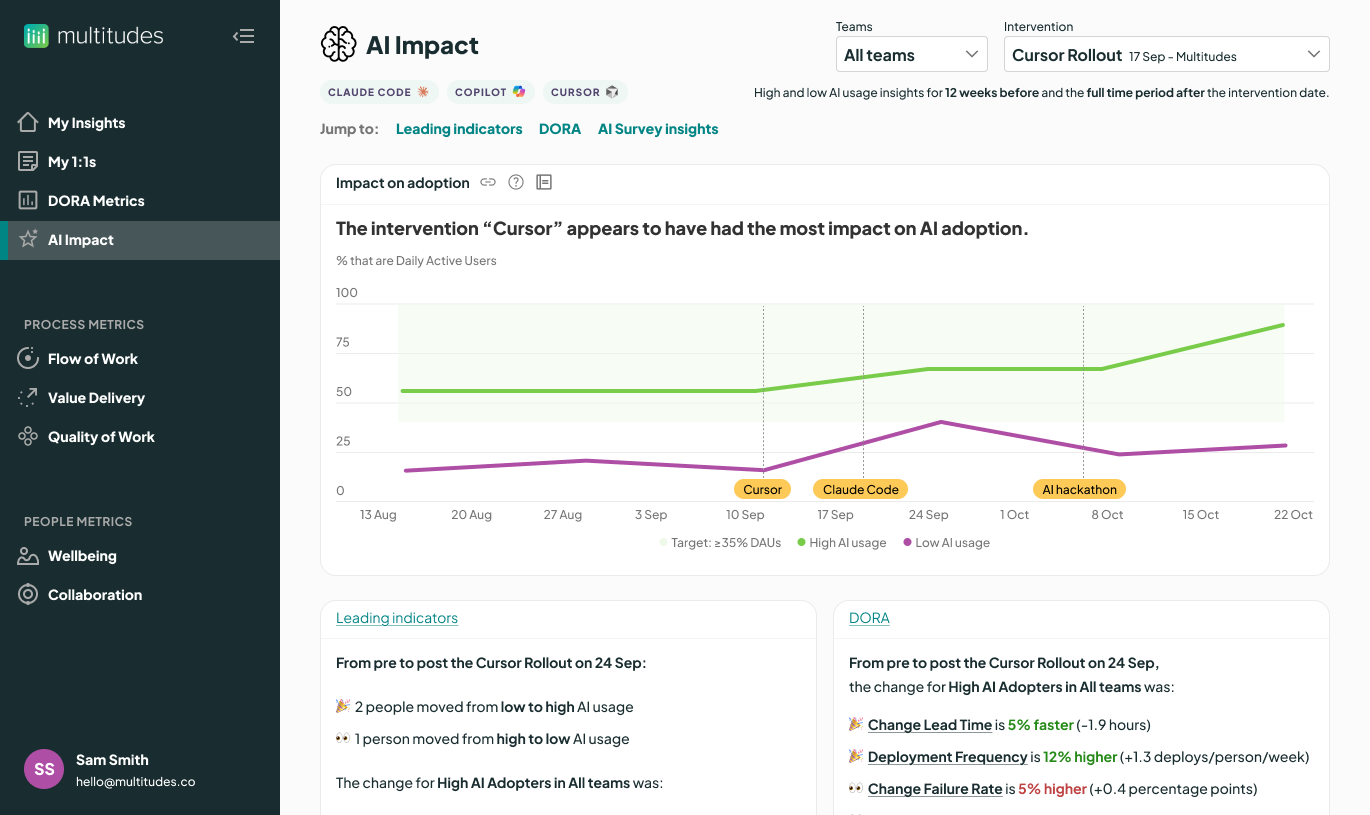
Caught between the AI hype and reality? Get insights to see what’s working or not. Catch AI risks early and share knowledge across your team – all to maximize AI value.


Trusted by engineering teams around the world








Eucalyptus maintained code quality while rolling out AI
Eucalyptus uses Multitudes to get more from their AI tooling. By tracking leading indicators of code quality, they were able to get speed and quality from AI – ultimately merging 161% more PRs while decreasing PR size by 8.5%.

See what’s working in your AI rollout
To get more from AI, what matters most is how you support your teams to use it. That’s why we measure the impact of your AI interventions – for each one, we show you its impact on AI adoption, developer productivity, codebase quality, and team wellbeing. So you can see what’s working best.

Guide every team to continuous improvement
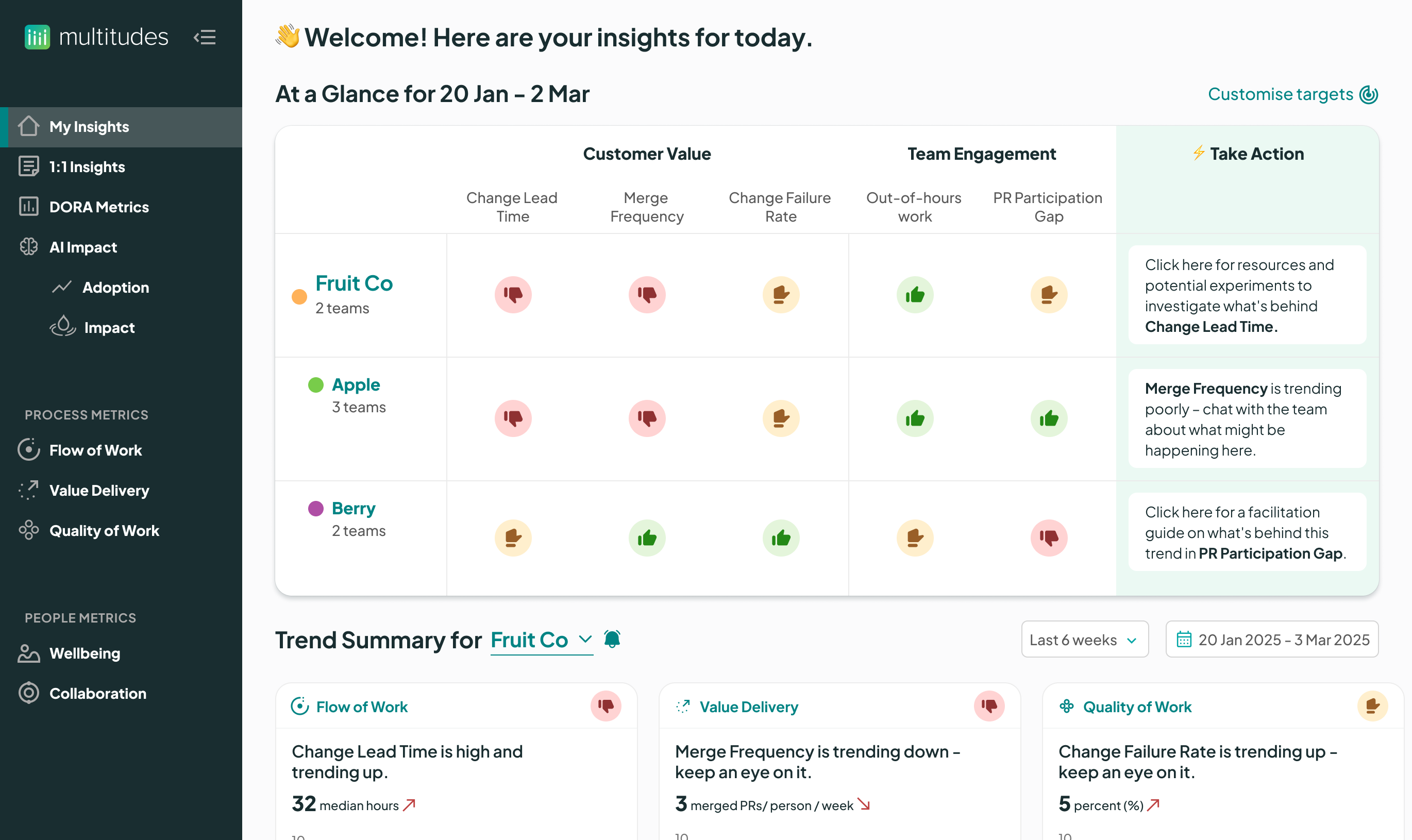
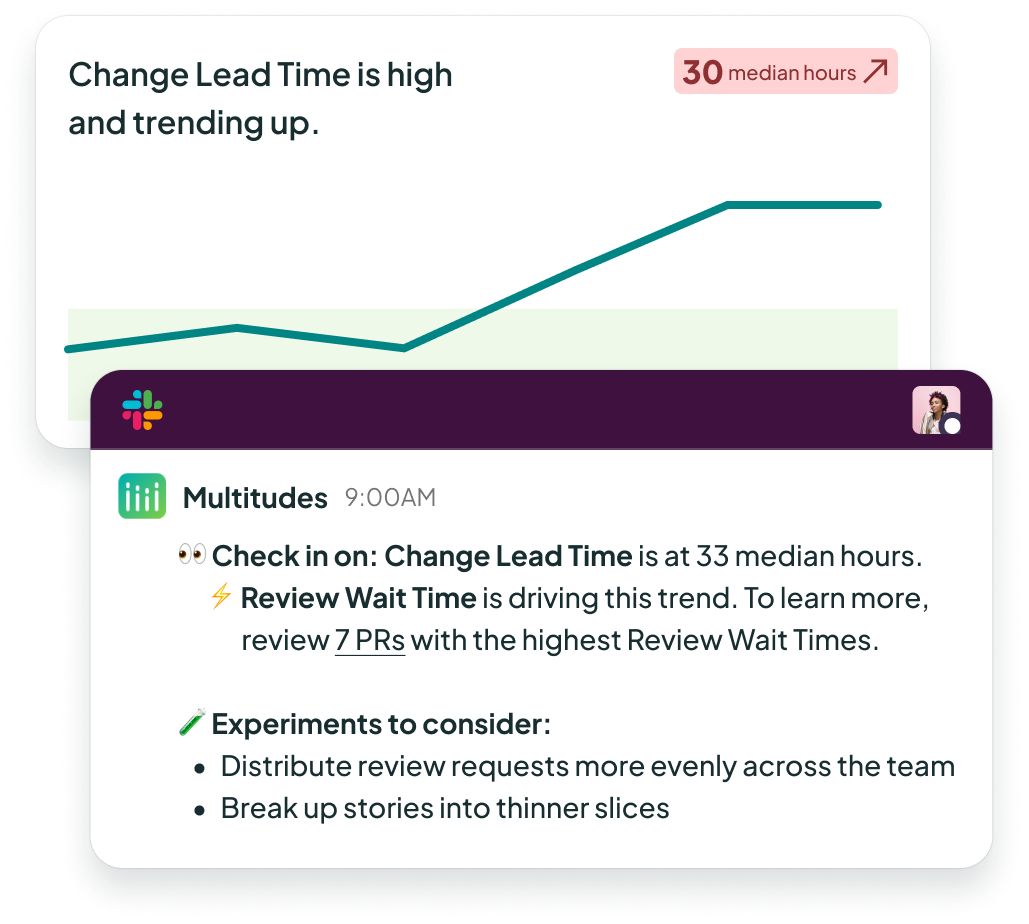
More important than the metrics is what you do with them. Multitudes translates from data to insight to action – recommending conversation-starters and experiments. Then, track your team’s progress and to improve. It’s a formula that leads to massive impact – like with this team at Clara that reduced Change Lead Time by 89%.
Spot leading indicators of AI slop
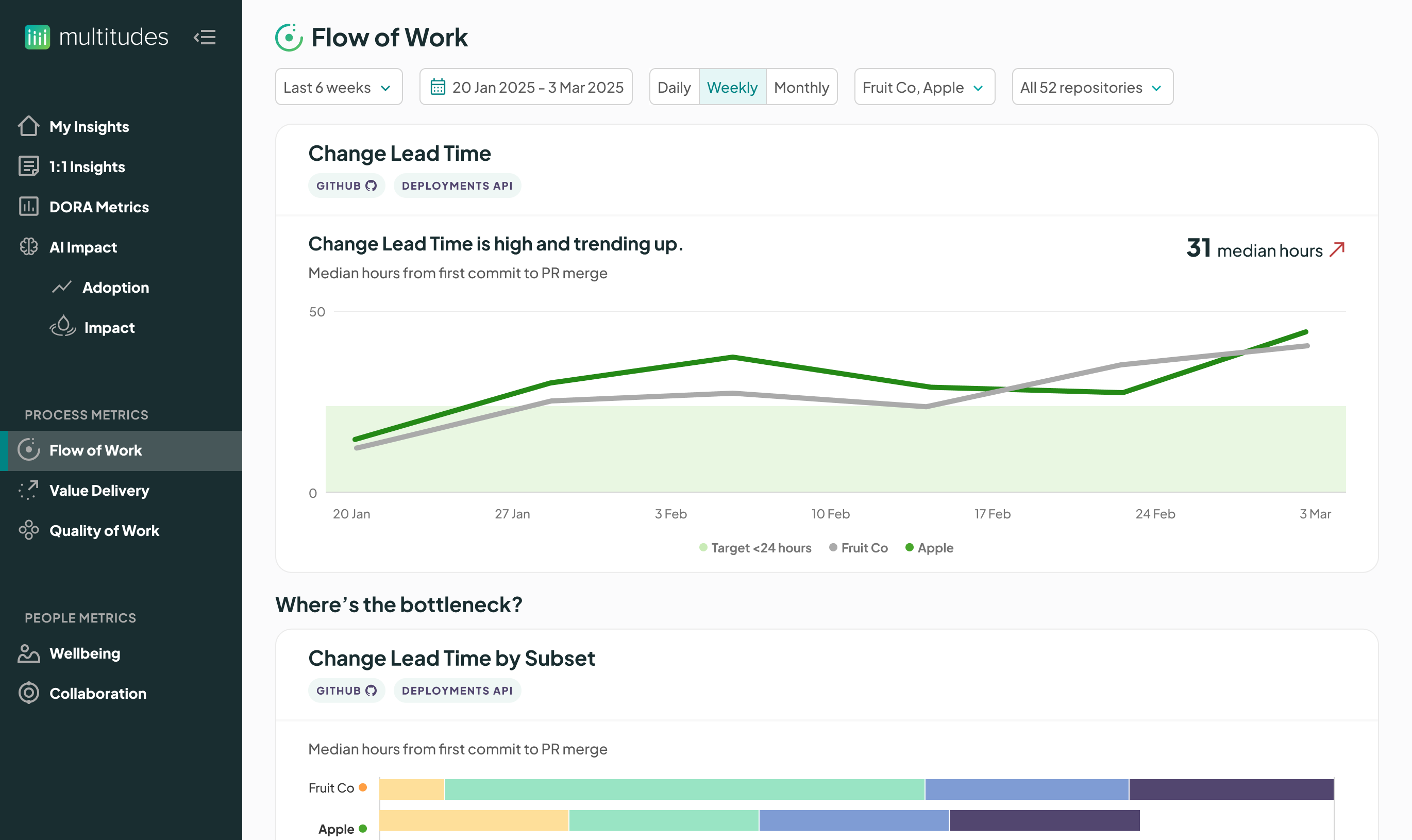
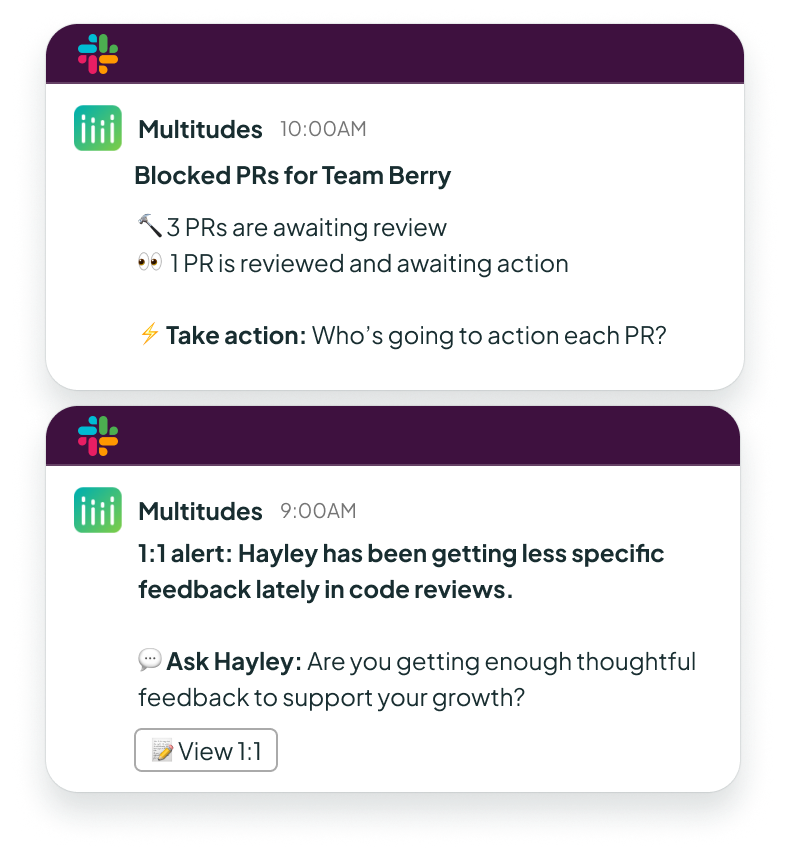
Spot issues before your boss does. When you’re planning your week, we show you emerging challenges – what work is blocked, and what people need support. When it comes to AI slop, we spot early signs of reduced code quality or if your human code review process could be missing issues in AI code changes.

Get more results with less effort
You have too much on your plate, so let us make it easy to get insights. 15 minutes to onboard, and then smart defaults provide insights out of the box. From there, we show you what you need to know, when you need to know it – for an exec meeting, team retro, or 1:1. Spend less time poring through charts and more time taking action with your team.
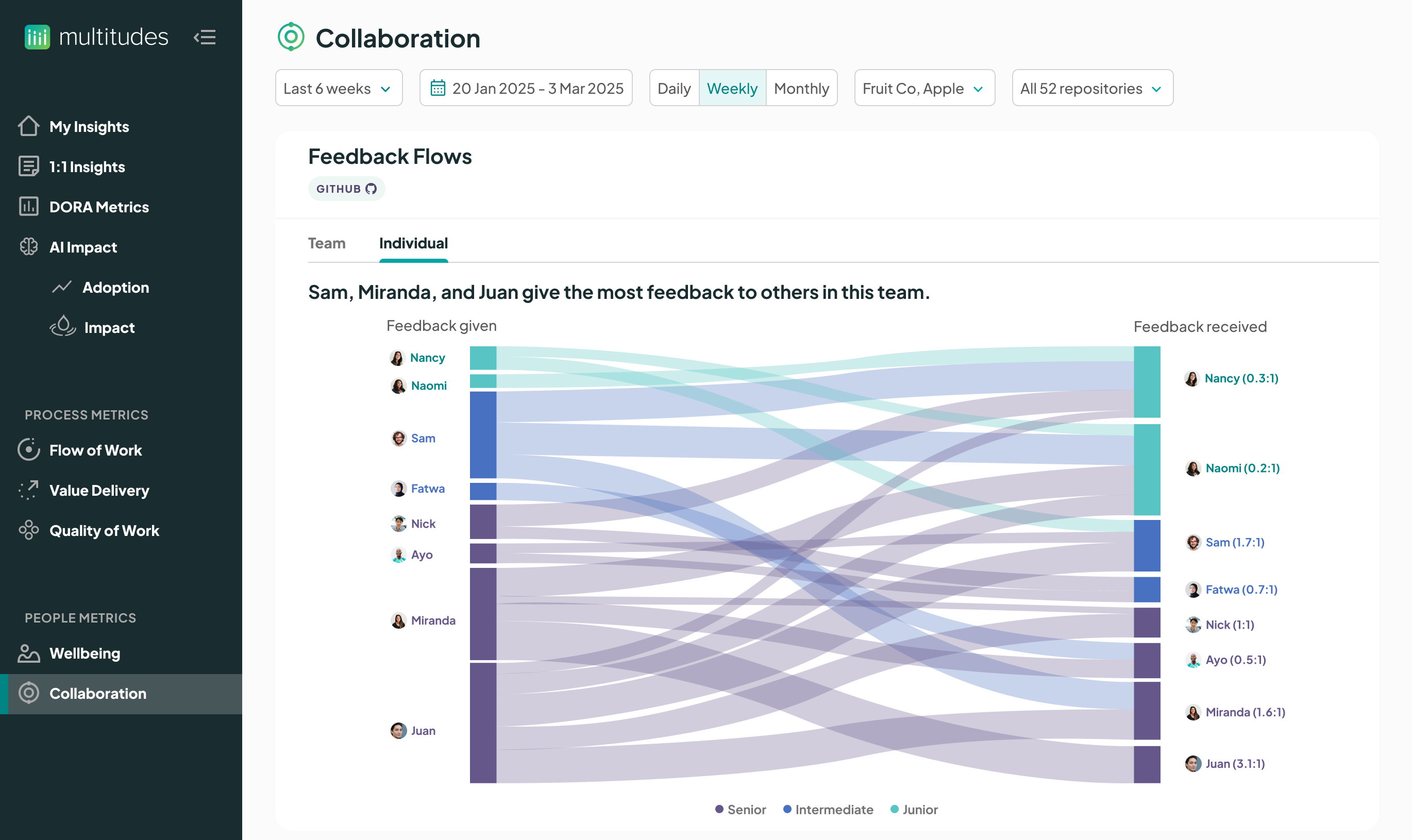
Find & fix AI risks early
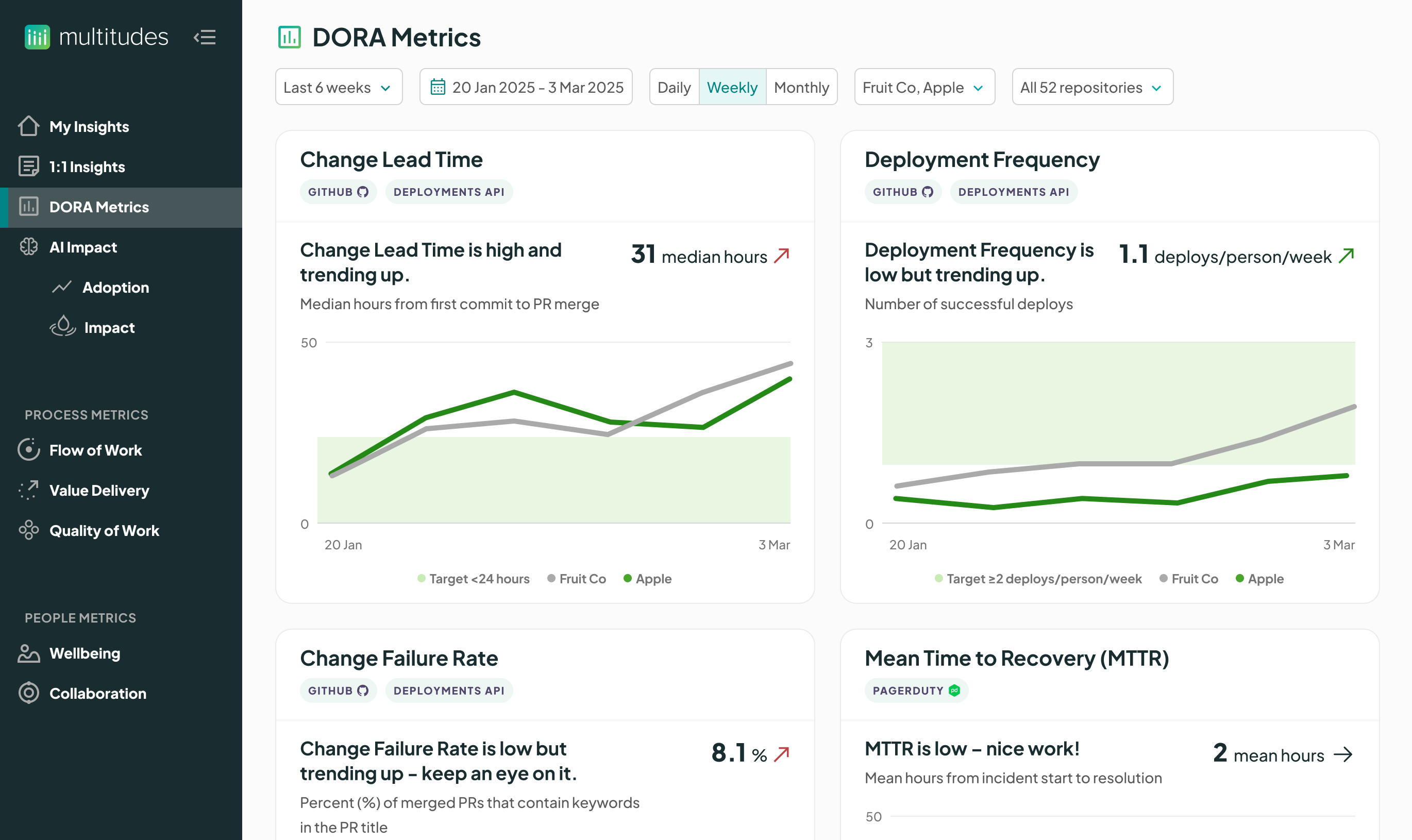
Get visibility into how the work is going and support your teams to take action. Multitudes goes beyond classic metrics like DORA, SPACE, and DevEx to give you what you need for an AI era – including leading indicators of AI slop. (See our research for more.)
Multitudes then makes it easy to move from data to action. With coaching questions and action nudges, Multitudes helps uplevel your managers – so they can uplevel their teams, and you can get the outcomes you need.
Support your team to get more from AI
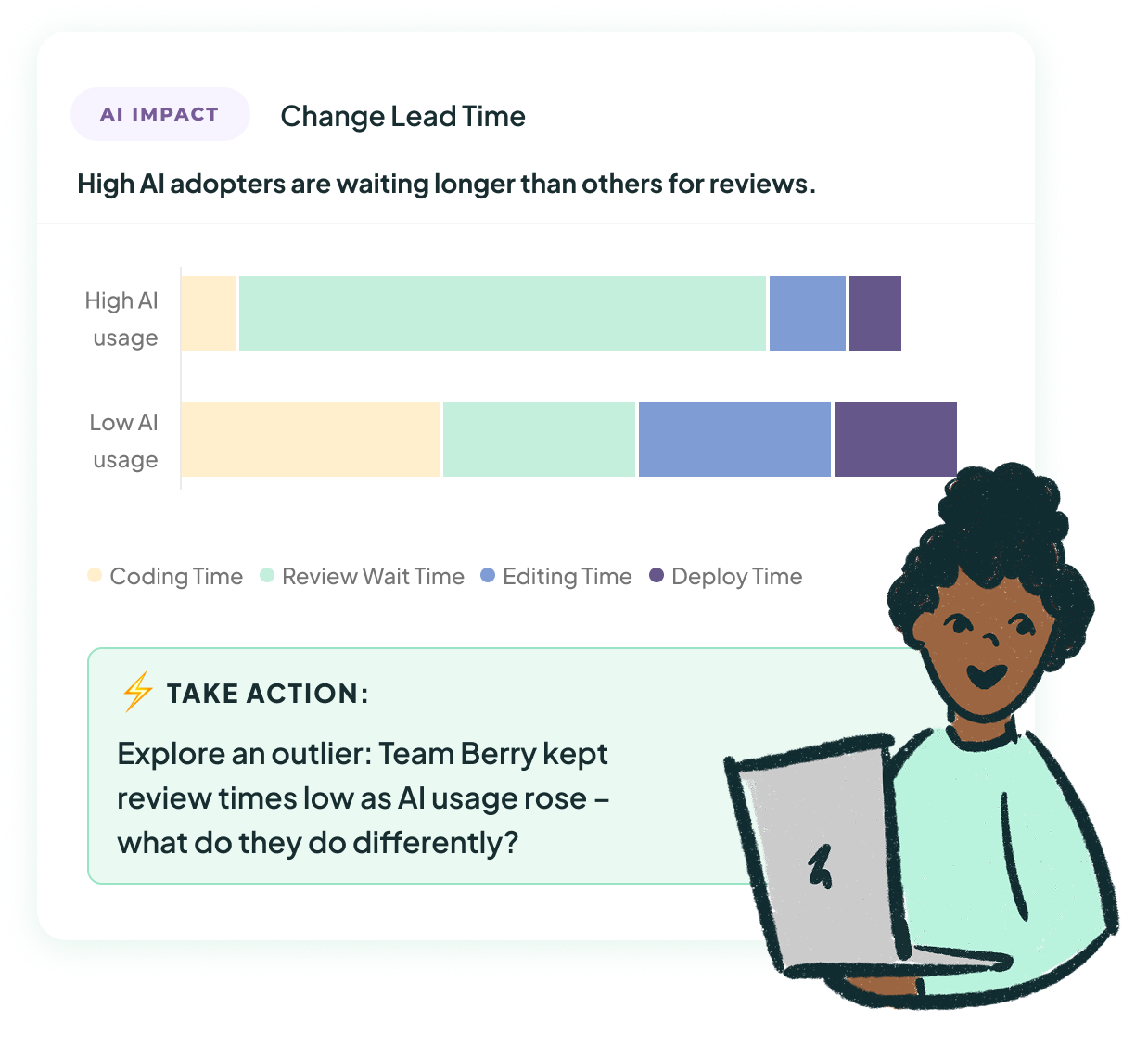
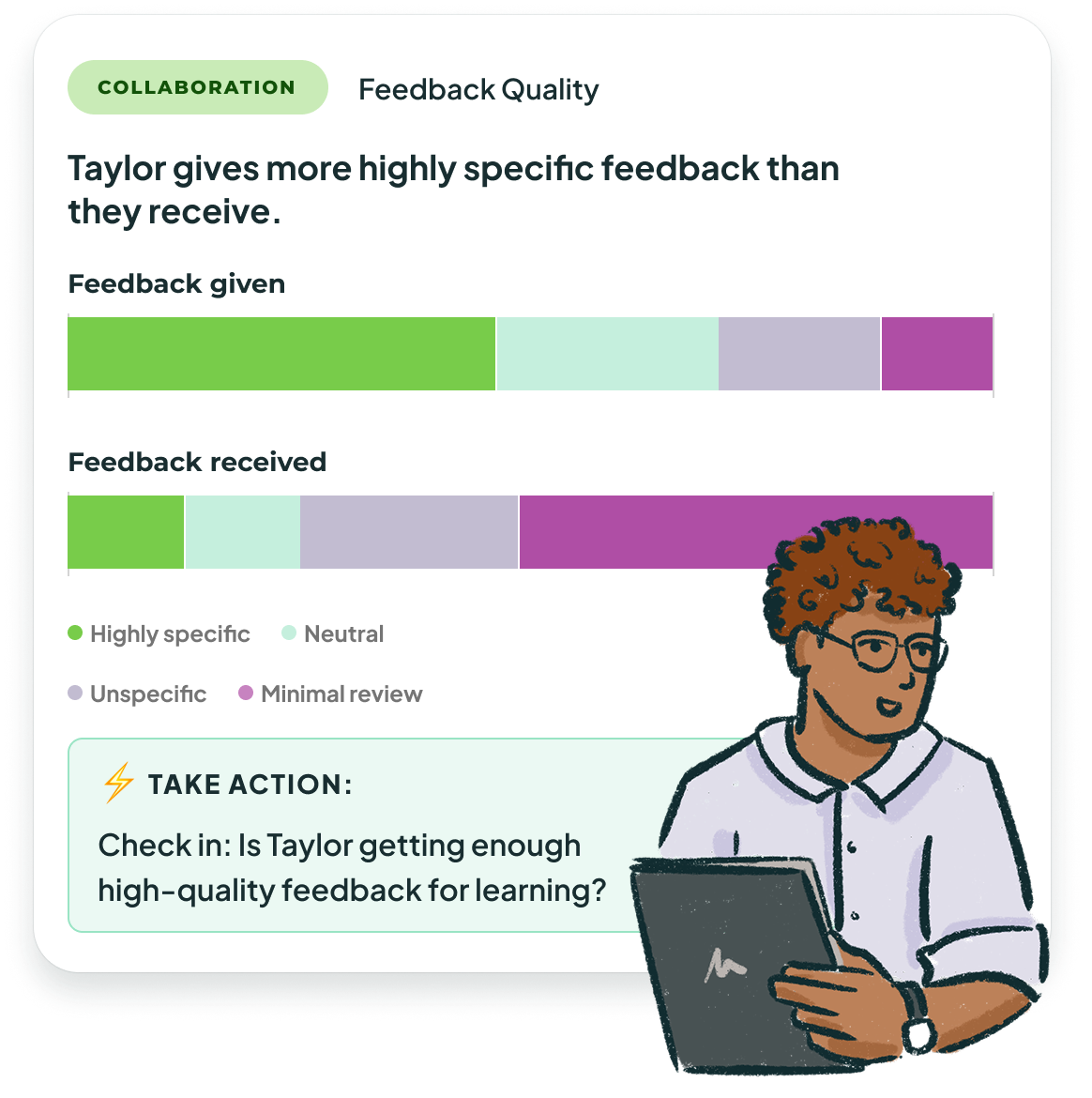
From AI skeptics to super-users, we’re all in this journey together. That’s why Multitudes goes beyond classic metrics like DORA, SPACE, and DevEx to give you what you need for an AI era – warning signs of AI slop, a deep-dive into human reviews, and insights on the impact of different experiments.
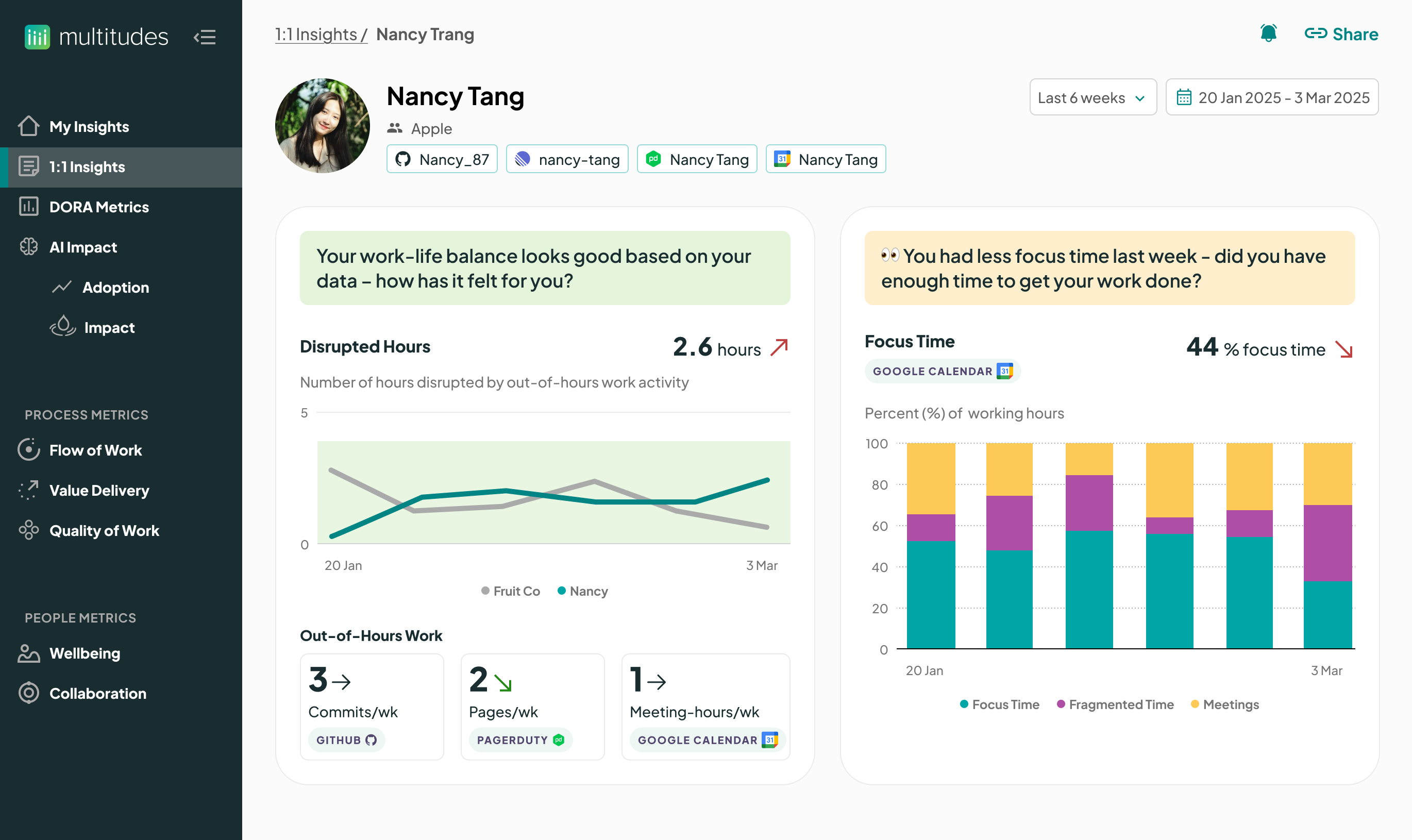
See the full picture with metrics on developer productivity, codebase quality, and team member wellbeing. Instead of poring through charts, Multitudes will highlight where work is blocked or who’s getting less support – so you can spend more time enabling your people.
Get feedback loops to learn and grow
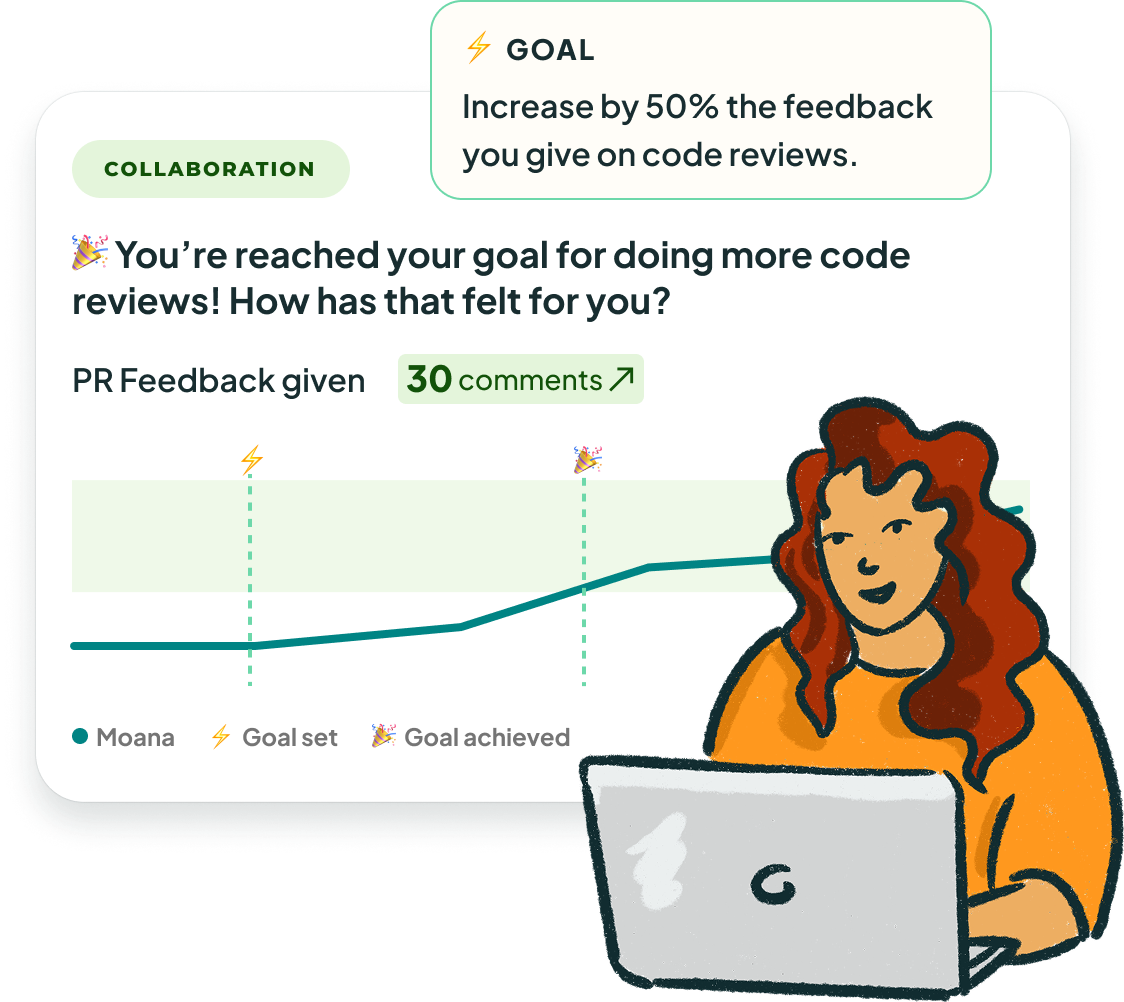
Get on the same page as your leaders, see recommended actions for areas you want to improve, and then show your progress – all in Multitudes. Because you should have the same visibility into delivery as your leaders do.
Along the way, we’ll also keep an eye on collaboration and wellbeing, with nudges to you and your manager if, for example, you get more out-of-hours pages or you’re waiting too long to get reviews.
Here’s how our customers use Multitudes for continuous improvement.


“Multitudes has become my go-to for identifying any blockers that might have arisen. By regularly checking in on the data, I can make more informed decisions over time.”
89%
decrease in Change Lead Time
1 year
of steadily decreasing <code-text>Change Lead Time<code-text> – and counting!


It was great to have real-time data to compare and see trends over time. In particular, it helped us to be able to do a deep dive into AI – it meant we could do the rollout quickly, knowing we would have leading indicators of AI’s impact, which gives us time to adjust as needed.
8.5%
decrease in PR size
161%
increase in Merge Frequency

.svg)
“A clear view of the types of work we’re doing helps us balance features with tech debt, bugs, and support — and have more informed conversations about how we’re contributing to the full product pie.”
93%
reduction in build pipeline time.
2x
velocity, while 3x'ing the number of tech debt tickets completed.


“Alongside the holistic view of team health, this simple insight tells the whole story.”
20
Pull Requests per month maintained
5%
increase in learning time


“Having collaboration data has had a positive effect on review practices at Octane. Using Multitudes makes me feel more comfortable in experimenting – it takes the guesswork out of it.”
48%
decrease in <code-text>Change Lead Time<code-text> (7-week rolling average median)
50%
increase in <code-text>Feedback Given<code-text> (7-week rolling average median)

.svg)
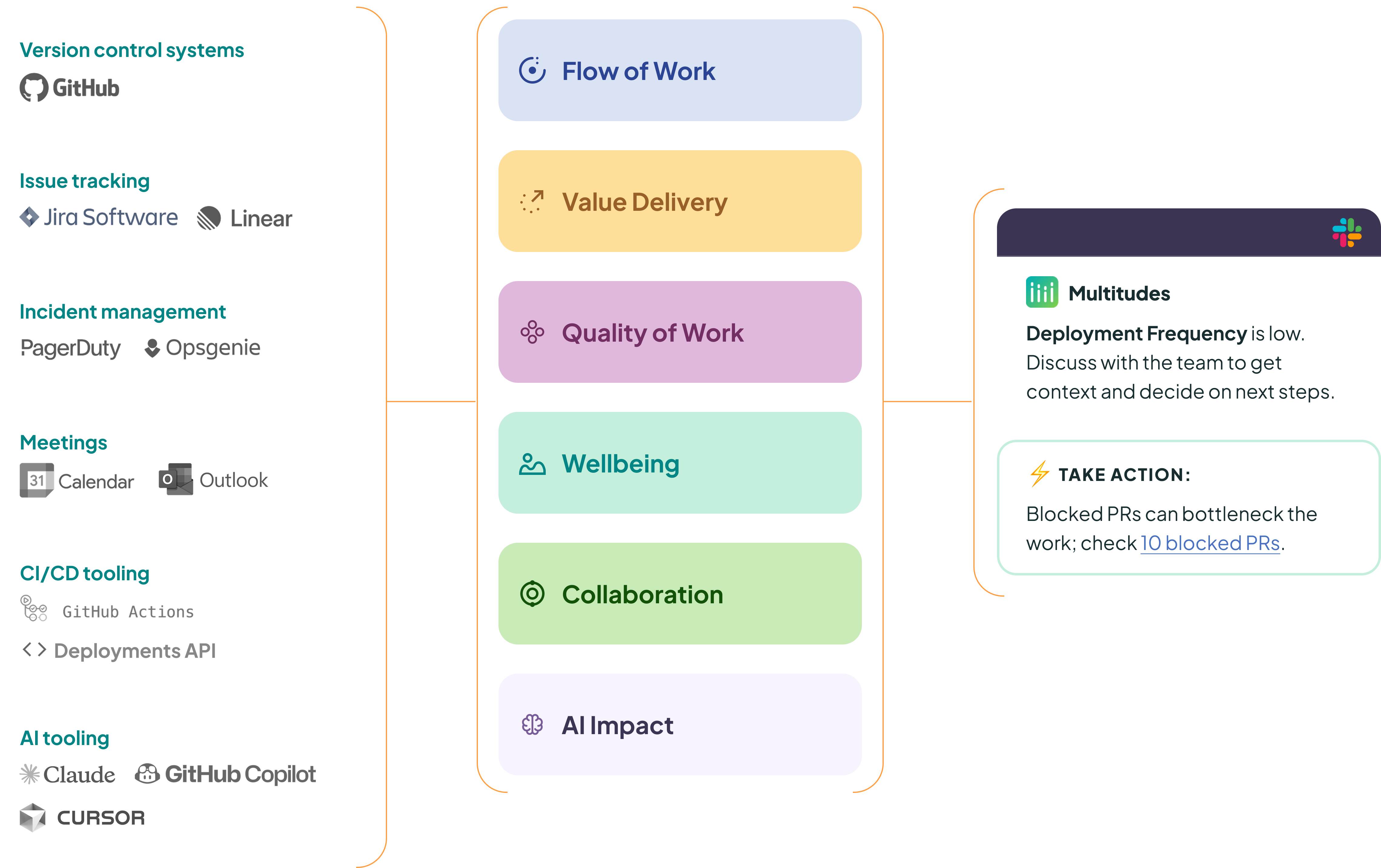
Connect your data, action the insights.
Step 1
Integrate Multitudes with your team’s data.

Step 2
Discover team performance insights.

Step 3
Take action from your team’s insights in minutes.



Learn with our resources
Want to keep learning? Check out our research, join our community or sign up to receive regular product and industry insights.

Research
Peer-reviewed original research on developer productivity, using data to take action, and more.
View our research
→

Docs
Find answers to your questions about Multitudes, our product, or what we measure and why.
View our docs
→

Community
Join our community of tech leaders – connect with and learn from other human-centric leaders.
View our community
→
Get more from your AI tooling.
Get useful insights on team performance and culture, along with updates on our product!
© Copyright 2026 Multitudes Limited. All rights reserved.

.svg)
.svg)
.svg)